
Expand AI adoption to every knowledge worker in your organization with a desktop application that reads documents, runs multi-step research, processes files, and returns finished work — all routed through Amazon Bedrock in your own AWS account.
Claude Cowork is a desktop application that lets your users delegate research, document analysis, data processing, and report generation to Claude. With Claude Cowork in Amazon Bedrock, model inference is routed exclusively through Amazon Bedrock in your AWS account.
All model calls go to Amazon Bedrock in the AWS Regions you configure — directly or through an LLM gateway you control.
Consumption-based through your existing AWS agreement and billing. No seat licensing from Anthropic.
Keep data inside your AWS environment while giving every knowledge worker a secure AI desktop.
Amazon Bedrock does not store prompts, files, tool I/O, or responses, and does not use them to train foundation models.
Authenticate with AWS IAM or Amazon Bedrock API keys. Isolate traffic via VPC endpoints.
Choose in-Region, geo cross-Region, or global cross-Region inference profiles.
Export telemetry to Amazon CloudWatch with OpenTelemetry. Audit with AWS CloudTrail.
Granular cost attribution in your existing AWS bill — no separate Anthropic seats.
If you already run Claude Code in Amazon Bedrock, Claude Cowork uses the same configuration.
Follow these steps after installing Claude Desktop on your machine.
Download the Claude Desktop installer and sign in with your existing Claude account (personal account is fine for initial setup).
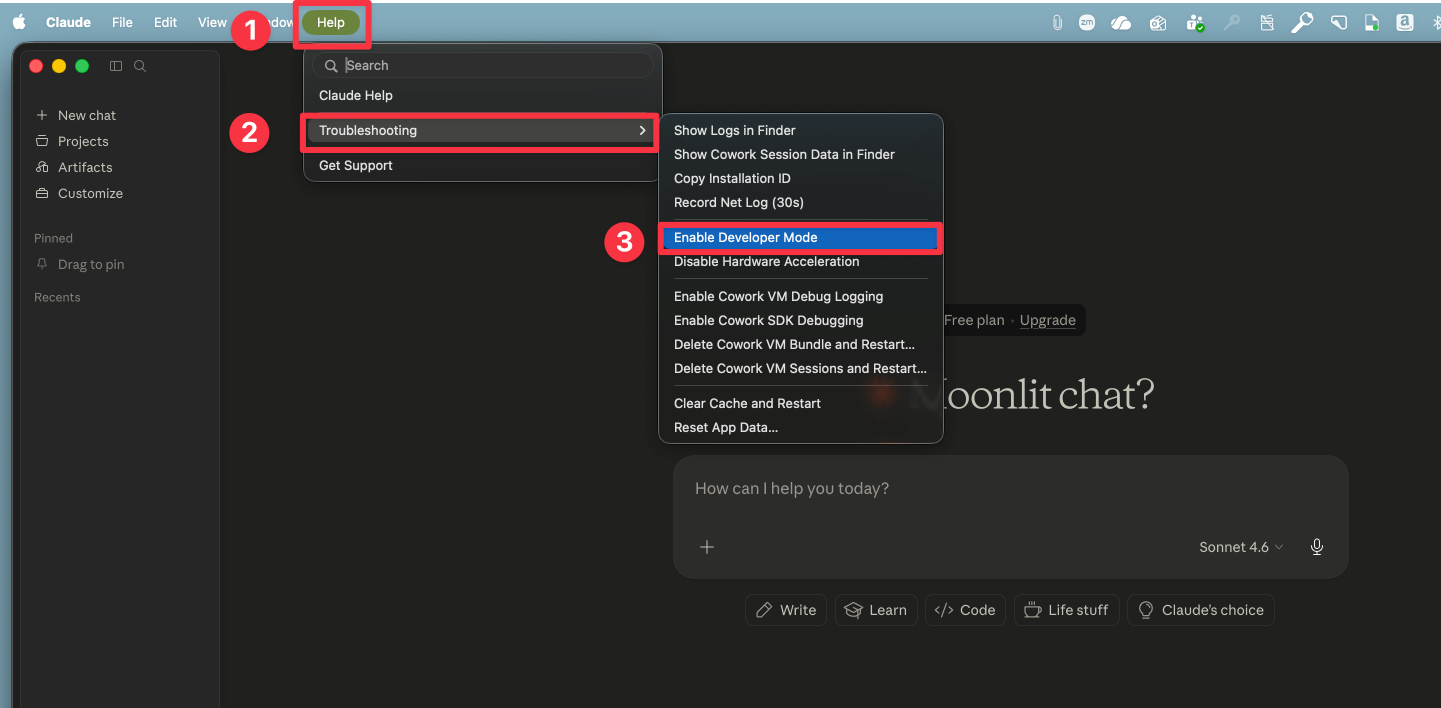
claude.com/download ↗In the menu bar, go to Help → Troubleshooting → Enable Developer Mode.
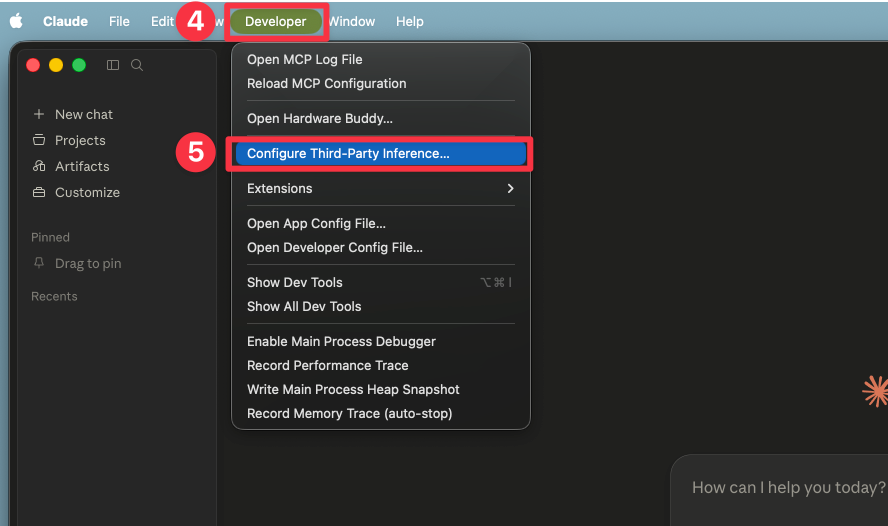
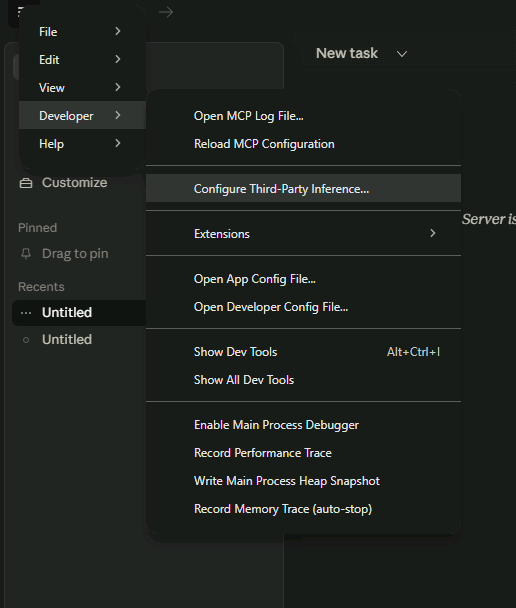
With Developer mode enabled, open Developer → Configure Third-Party Inference…
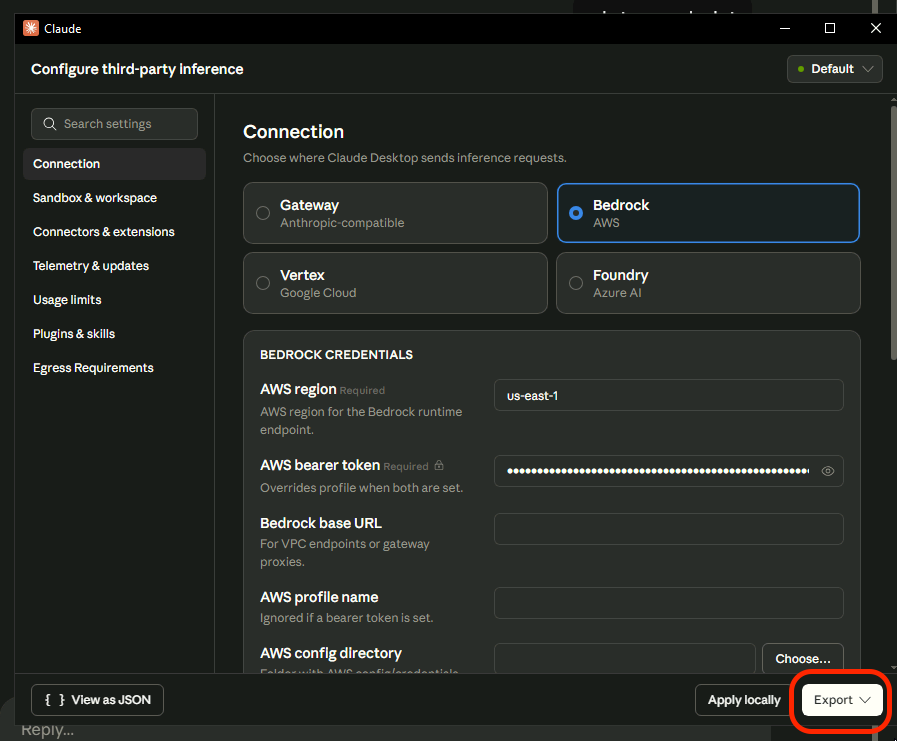
Instead of configuring an AWS profile, you can authenticate using an Amazon Bedrock API key. In the credentials section, select AWS Bearer token and paste your Bedrock API key.
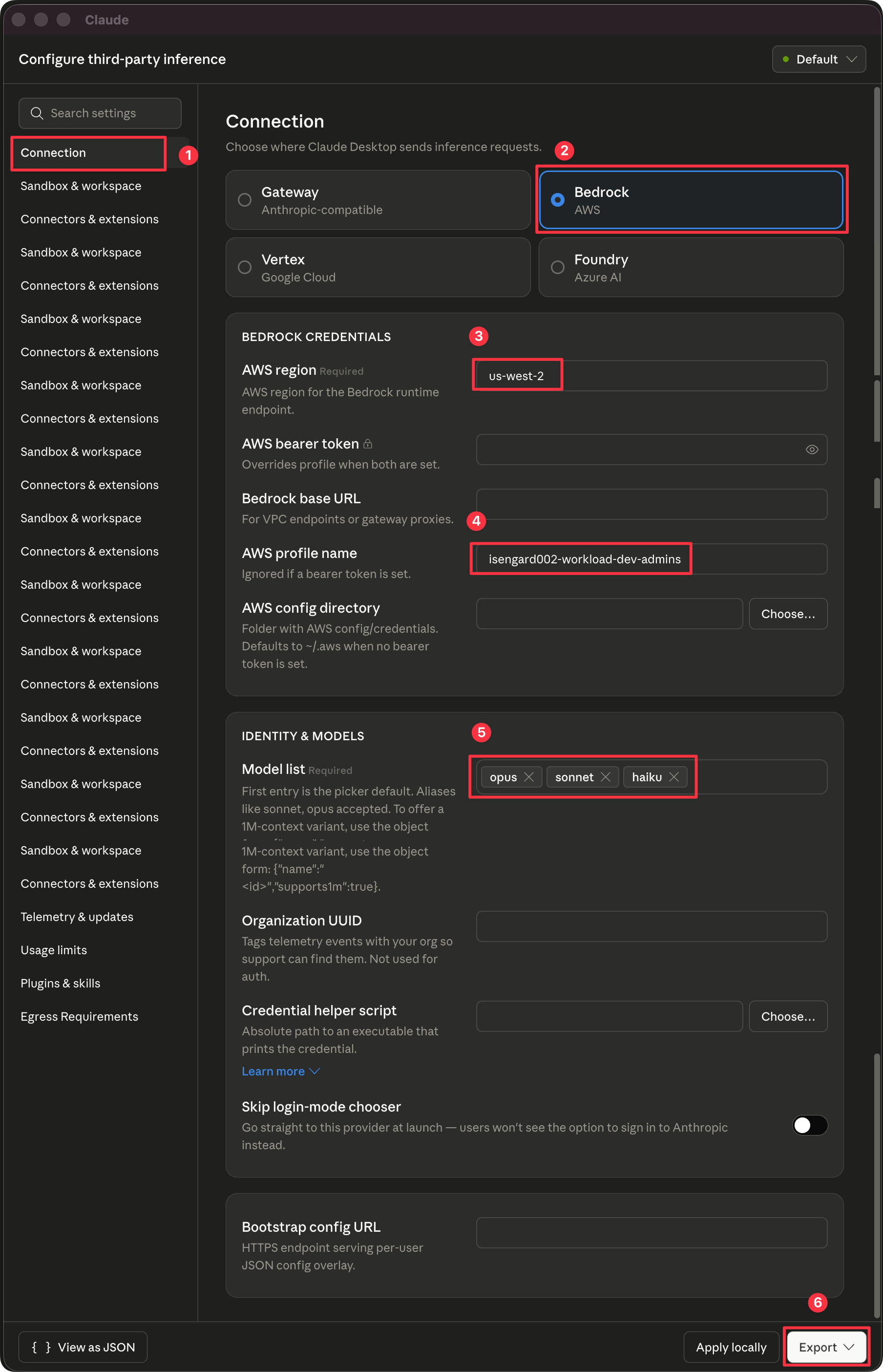
Learn how to get an Amazon Bedrock API key ↗On the Connection tab, fill in each section:
us-west-2).workload-dev-admins).opus, sonnet, haiku. The first entry is the picker default.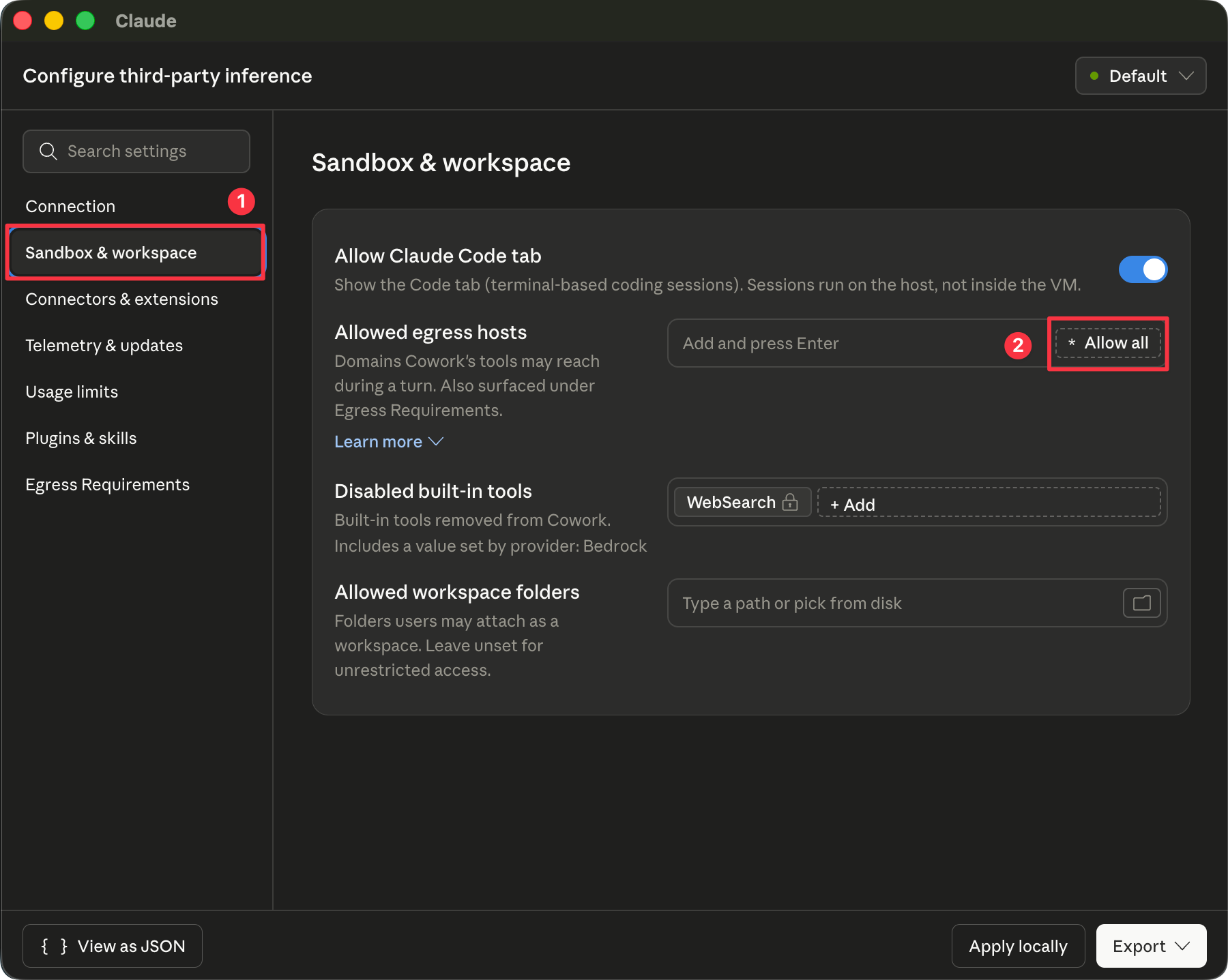
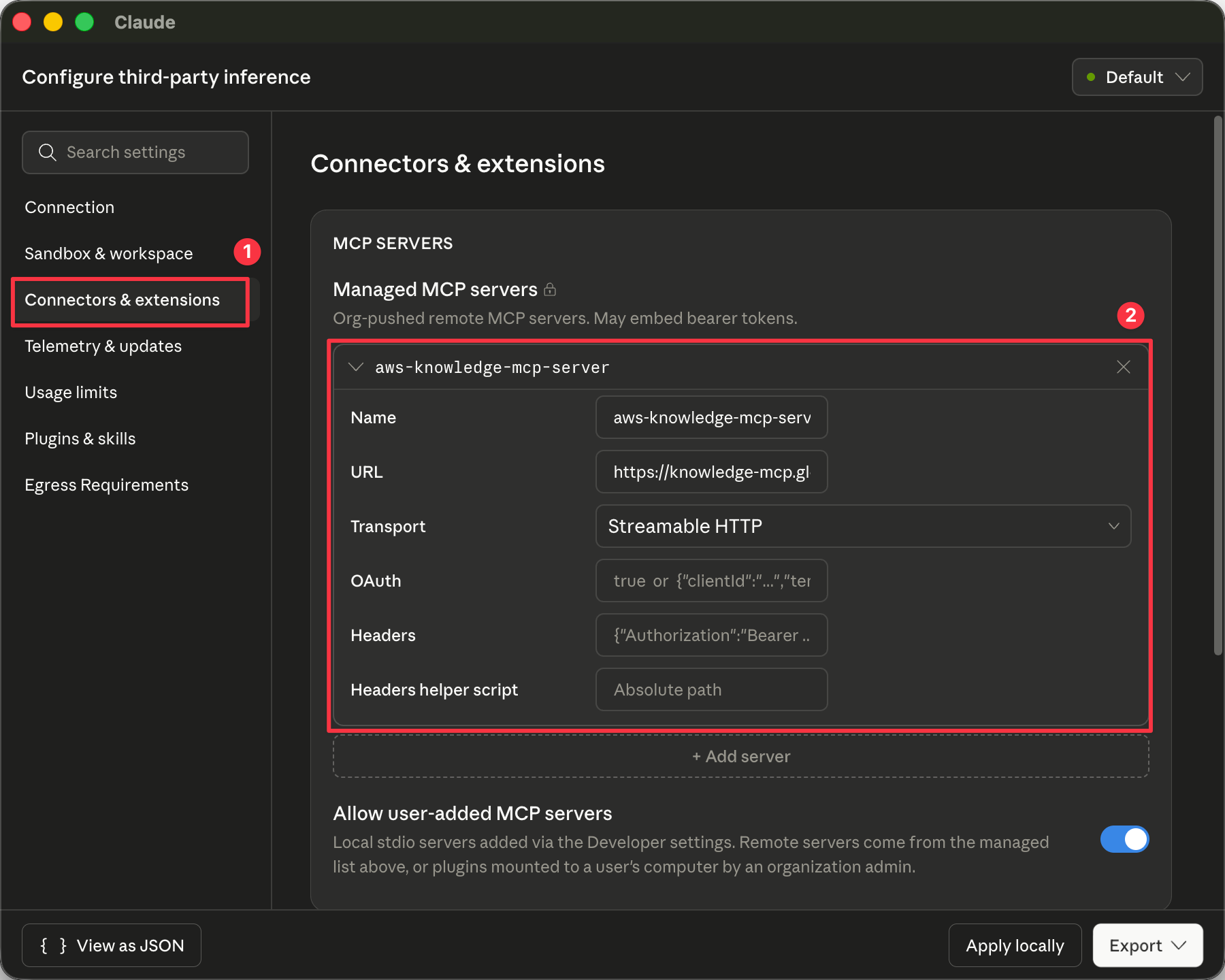
Open Connectors & extensions, then under Managed MCP servers click + Add server and provide:
On the Sandbox & workspace tab, choose your egress posture. For a permissive setup during testing, click Allow all on Allowed egress hosts. For production, add only the hosts you require.
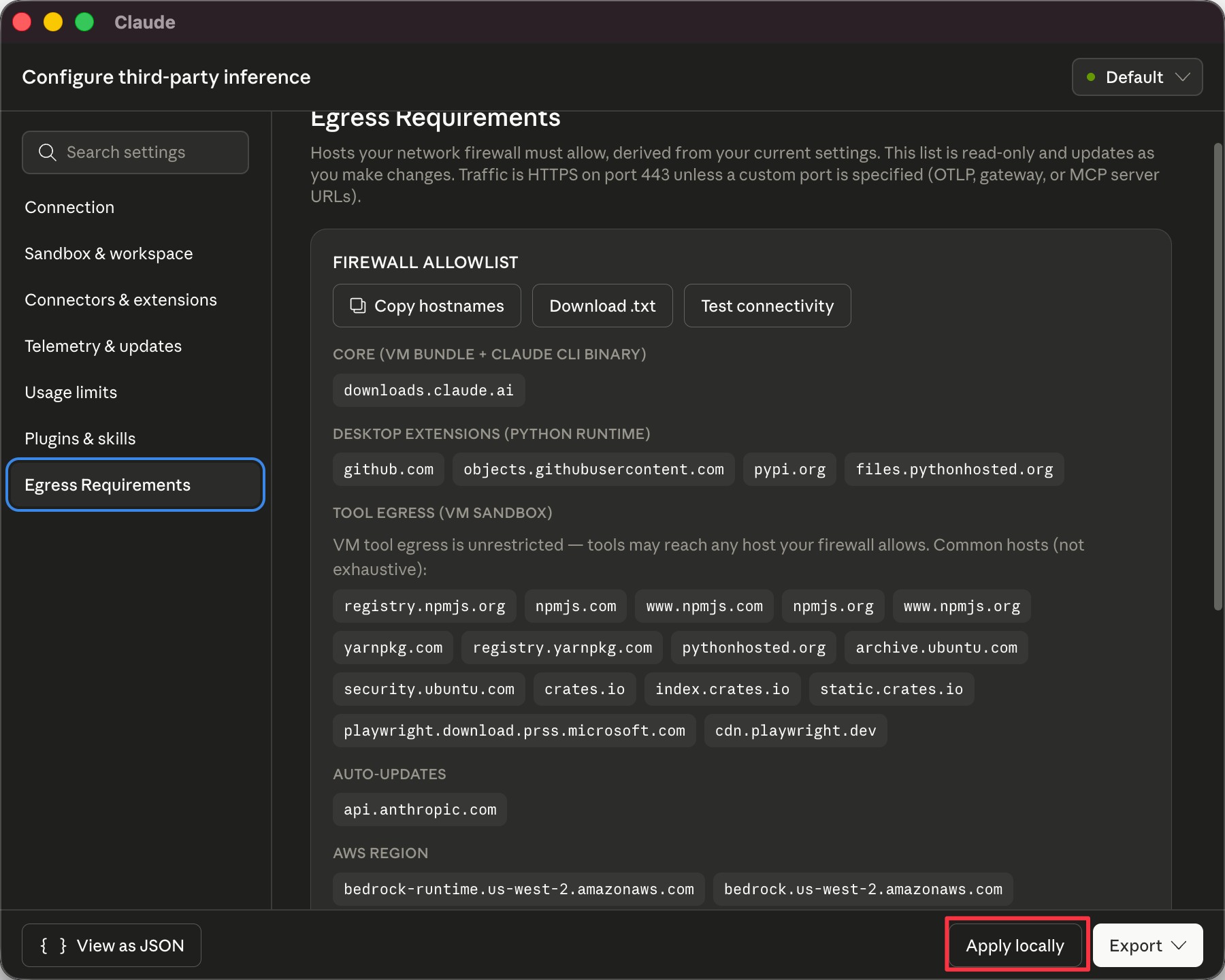
Open Egress Requirements to confirm the firewall allowlist derived from your settings, then click Apply locally.
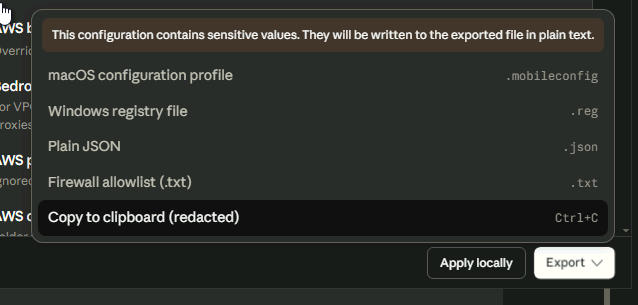
To push the same configuration to all users via your device-management system (Jamf, Intune, Group Policy), click Export and choose a format:
.mobileconfig).reg).json).txt)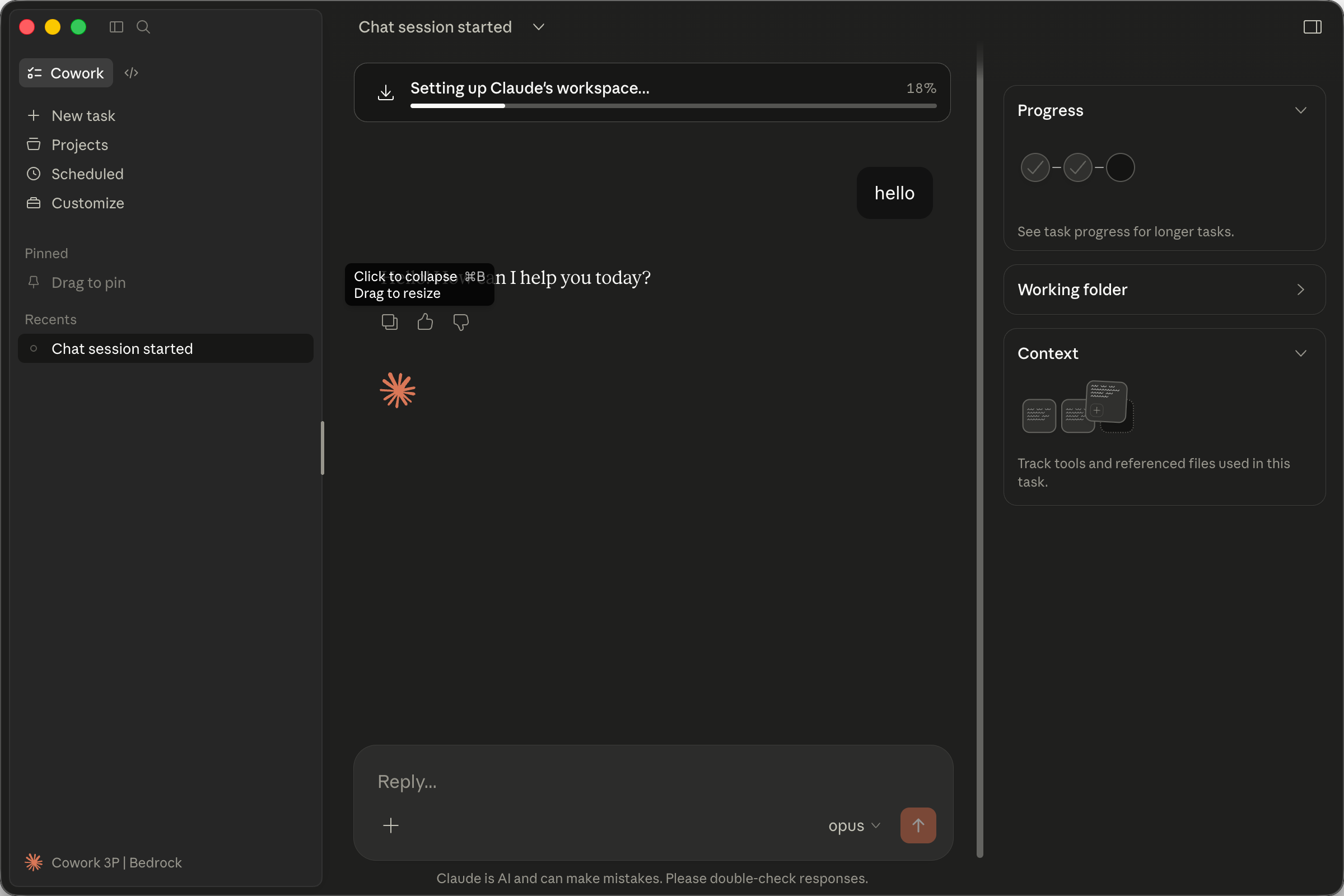
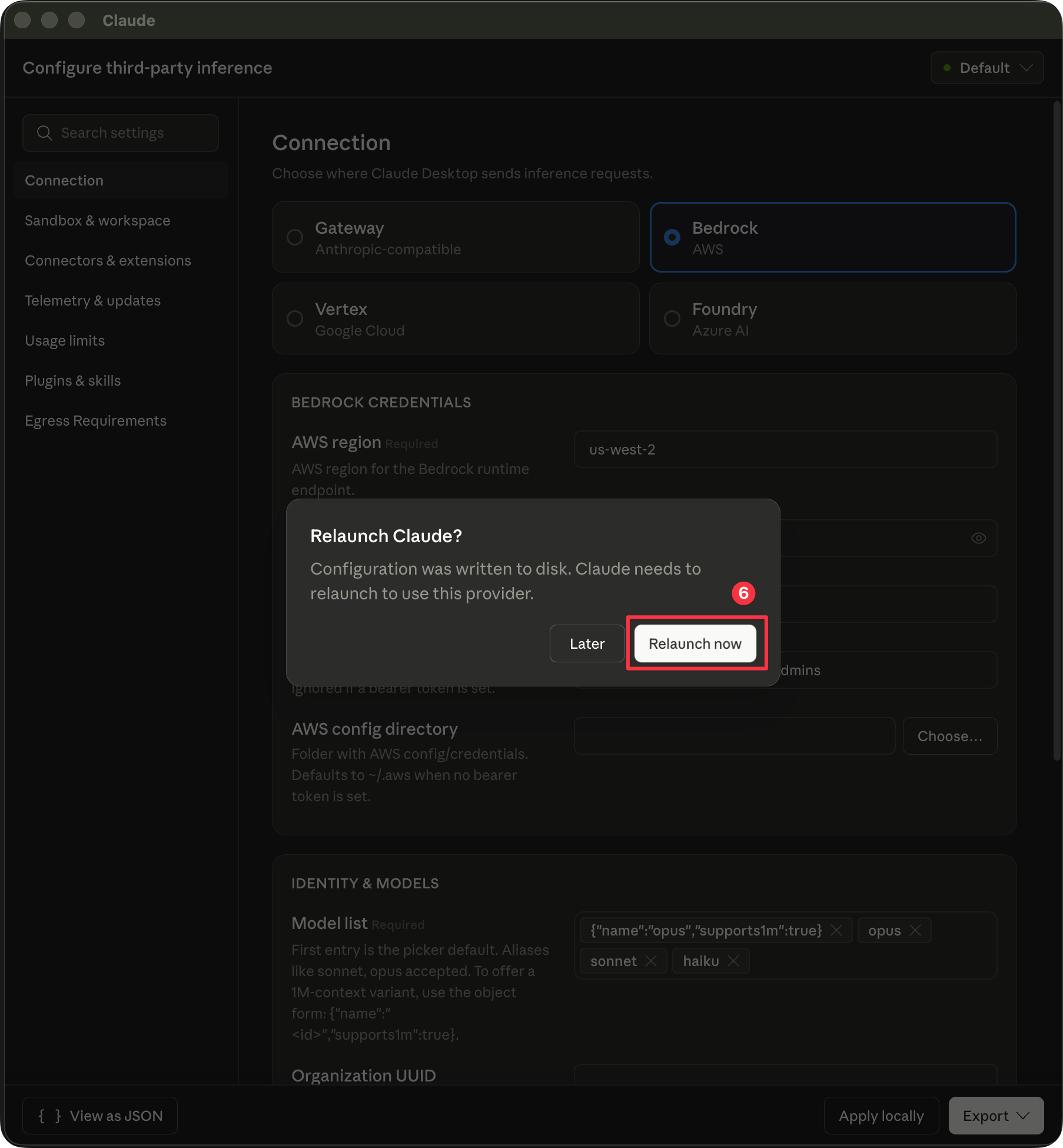
After saving, Claude prompts to relaunch so the new provider takes effect. Click Relaunch now.
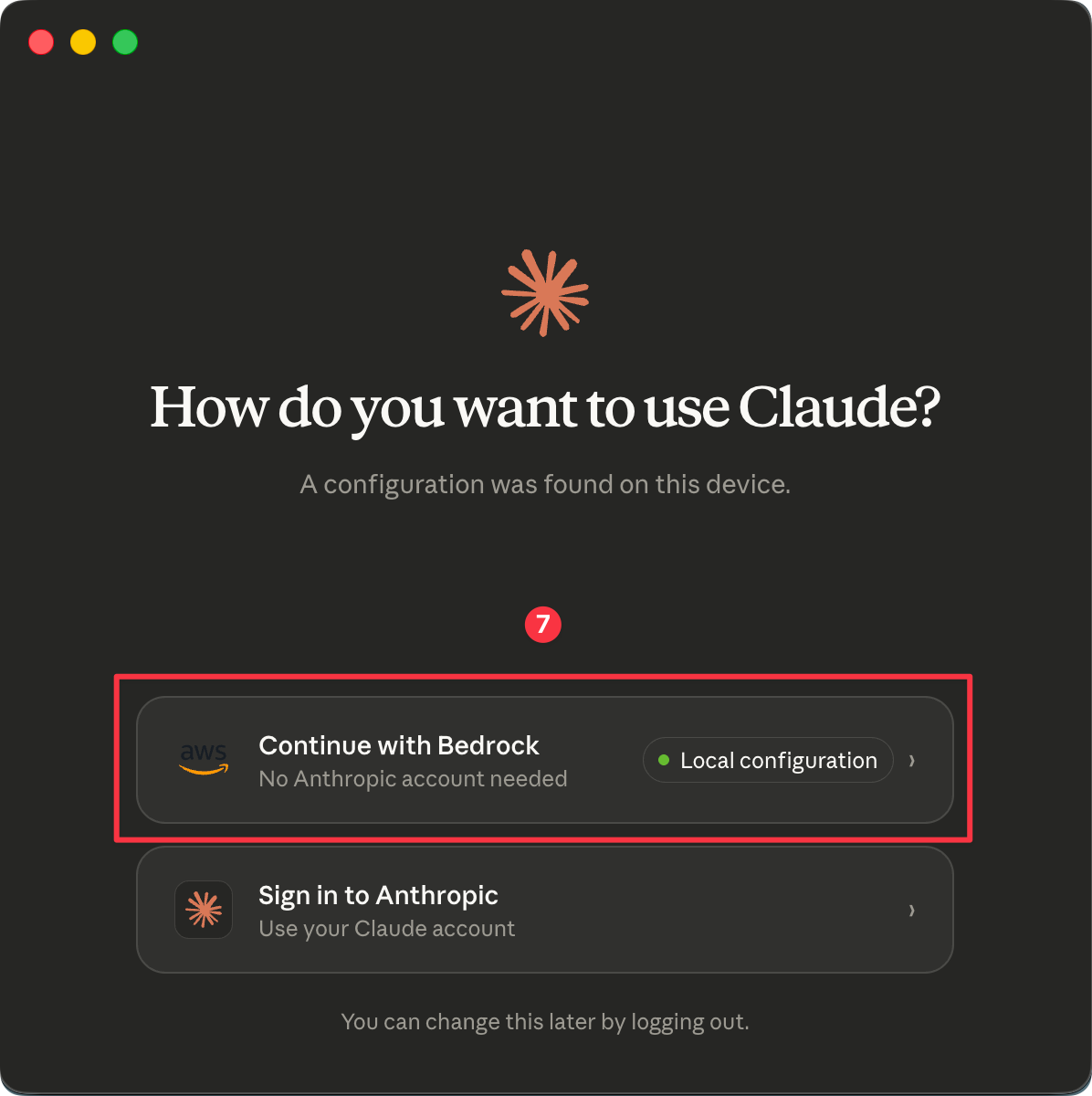
On the launch screen, choose Continue with Bedrock — Local configuration.
Claude sets up its workspace the first time you send a message. The status bar will show Cowork 3P · Bedrock, confirming inference is routed to Amazon Bedrock.
Upload meeting notes, requirements, and data. Let Claude synthesize a brief grounded in your sources — through Amazon Bedrock.
Claude Cowork Setup Guide ↗